
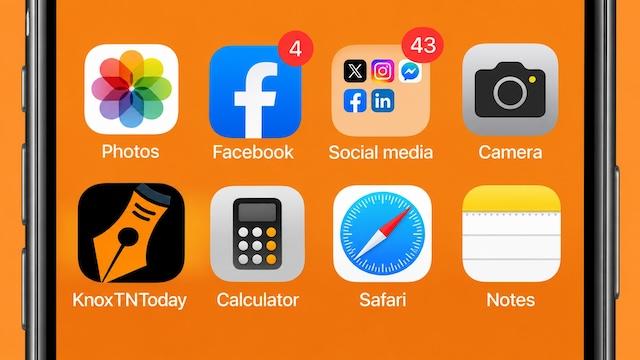
Want an easier way to keep KnoxTNToday close at hand? You can add our website directly to the Home Screen of your phone or tablet, giving you one-tap access to the latest local news, community stories, events, and favorite columns.
No app to download and nothing to purchase. Once added, the KnoxTNToday icon will appear on your Home Screen alongside your other apps. Tap it anytime to go straight to KnoxTNToday.
On an iPhone or iPad
- Open com in Safari.
- Tap the Share button — the square with an arrow pointing upward.
- Scroll down and tap Add to Home Screen.
- Check the name displayed as KnoxTNToday.
- Tap Add.
The KnoxTNToday icon will now appear on your Home Screen. Tap it whenever you want to see what’s happening around our community.
On an Android phone or tablet
The exact wording can vary slightly depending on your browser and device.
- Open com in Chrome.
- Tap the three-dot menu in the upper-right corner.
- Select Add to Home screen or Install app, depending on what your device displays.
- Follow the prompt and tap Add or Install.
That’s it. KnoxTNToday is now just a tap away.
Adding the website to your Home Screen doesn’t change anything about how you read KnoxTNToday. It simply eliminates the need to search for the website, find an old link, or wait for a story to appear in your social media feed.
Whether you’re checking Daily Connections, looking for something to do around town or catching up on one of our regular columns, you can come directly to us.
We hope you’ll give KnoxTNToday a spot on your Home Screen — and make us part of your daily routine.
KnoxTNToday — Our Town. Your News.